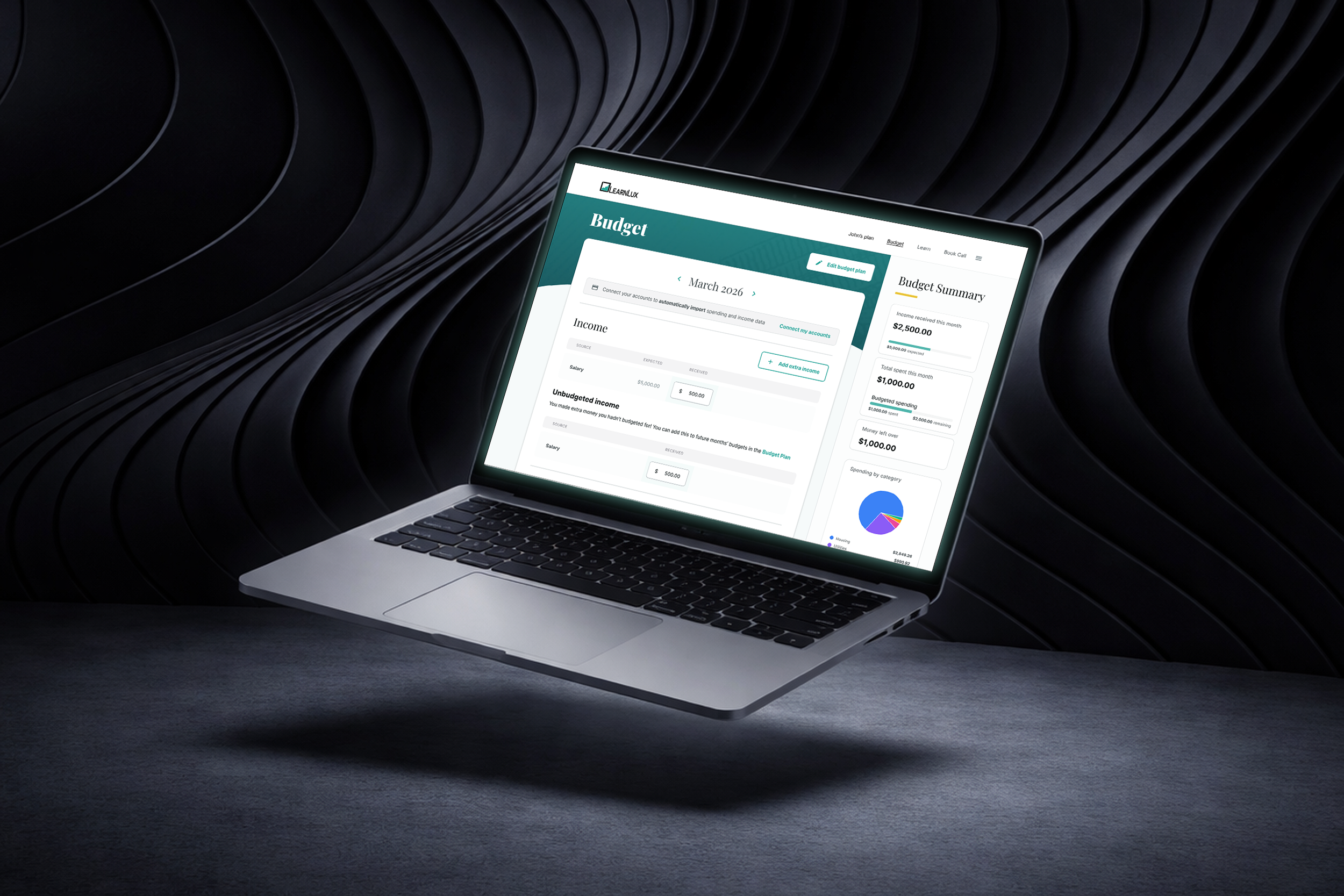
Budget Dashboard
Timeline: Q1 2025
Role: Design owner
Here I got really curious about how to properly apply AI tools to my UX workflow. By very quickly spinning up prototypes in Figma Make and testing them with users, I was able to drastically reduce the length of my design cycles. The result was a simple, flexible budgeting tool perfectly tailored to our user base— in a fraction of the time.
Problem Space
There were a number of factors limiting the usefulness of LearnLux’s existing budget tool:
Users could build a budget, but there wasn’t a way to track their actual spending against the plan
Financial planners didn’t have confidence in our tool, so they had to spend time building bespoke budget spreadsheets for each member they spoke with
The businesses we work with aren’t always excited to have us conduct interviews with their employees. So we’d need to make every interview count when designing a solution.
Budgeting is a foundational experience to our product, but the existing tool didn’t work for members OR planners. With limited user testing available, I needed to create a tailored solution and maximize the impact of each user test along the way.
The Solution
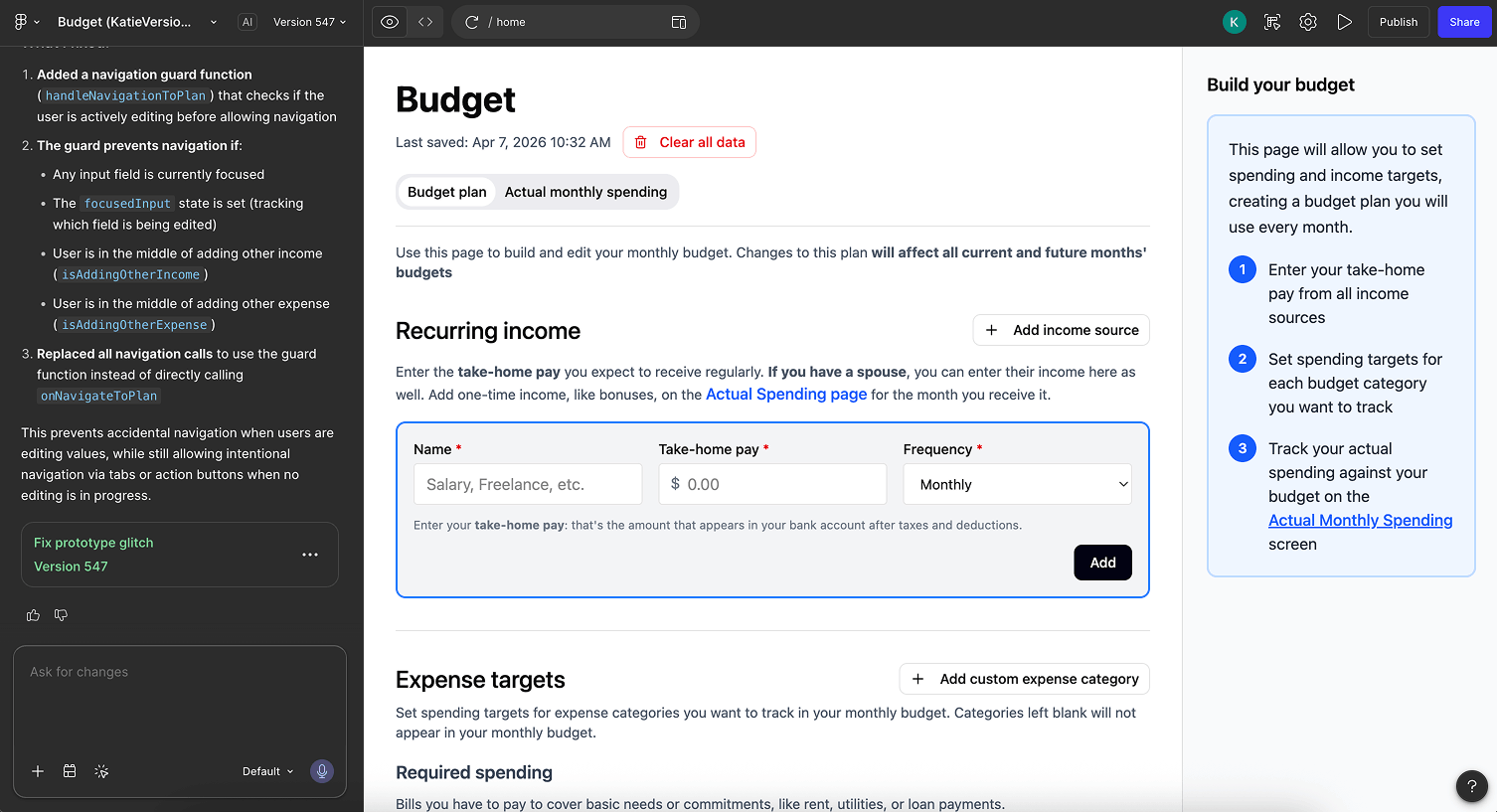
Rapid prototyping for quick investigations
Beginning with a list of product requirements, I created a Figma Make prototype that established an additional affordance: the ability to track one’s monthly spending against their planned budget. This created a good strong core loop to test with users.
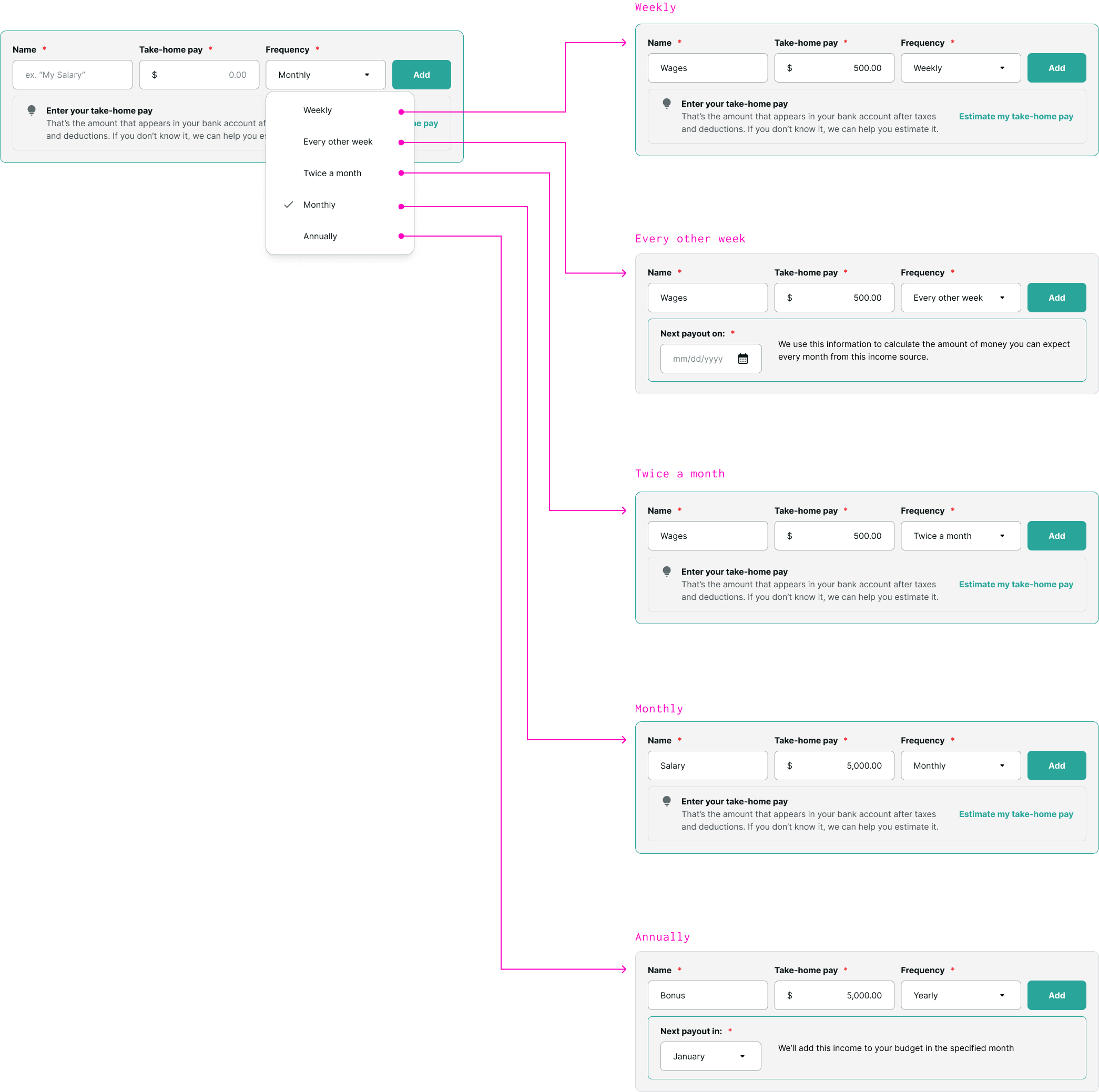
User feedback
I scheduled 5 user interviews within 1 week. Because Figma Make allows such quick changes, I was able to diagnose usability issues in each interview, fix them, and have a whole new product to test with the subsequent user.
I also tested with our team of financial planners. This identified a key weakness in the way non-monthly income was calculated, allowing me to come up with a better solution.
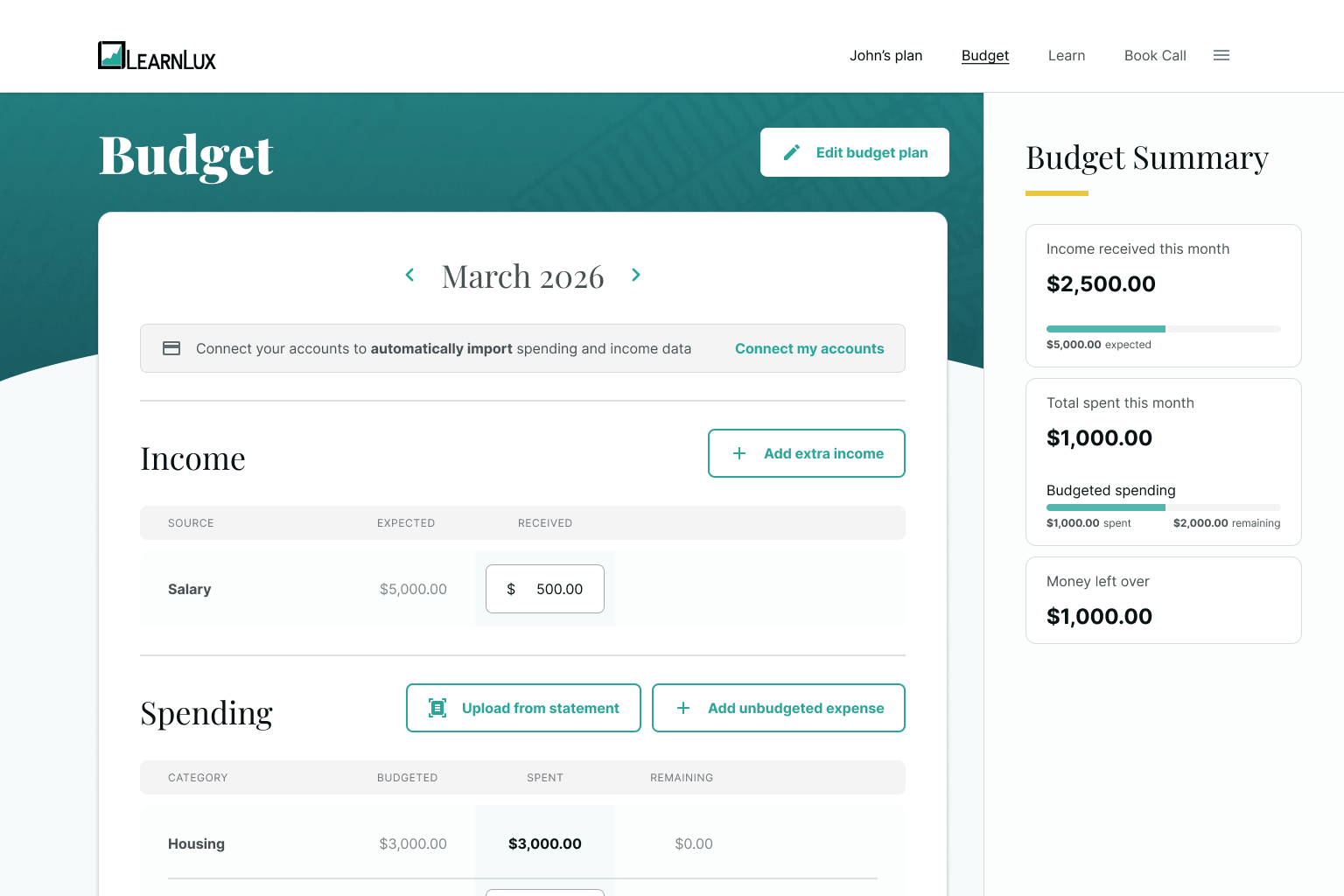
Improving user experience through automation
One of the pitfalls of budgeting is that the day-to-day experience is… really boring. It’s annoying to have to go through each transaction and input it in one’s budgeting tool. Figma Make helped me to prove out a workflow that allowed users to connect their financial accounts and automatically import transactions— to great enthusiasm!
The Result
Because AI-driven prototyping allowed such quick design cycles, I was able to get a really good read on the usability of my budget solution before it hit prod:
Members intuitively understood how to build and track their budget
They were able to quickly draw insights into their spending habits
They discovered and enthusiastically adopted the automations we’d made available to reduce the tedium of day-to-day budgeting
AI prototyping allowed me to design a simple budgeting tool that worked for our members. And better yet, I was able to walk our financial planners through the solution to give them peace of mind. In this way, I built trust between the design team and the planning team, and improved financial outcomes for our members.